English quick take
This is art, not evidence. The local editor gives you a free ghost-echo preview; the prompts help an image model build a cleaner plate. Never present the result as a real paranormal photograph.
 GirigoApp.com
Girigo AI Studio 9 min read
Create an artistic ghost portrait with a double exposure or an empty-space echo, and label it honestly as an AI-assisted composite.
English quick take
This is art, not evidence. The local editor gives you a free ghost-echo preview; the prompts help an image model build a cleaner plate. Never present the result as a real paranormal photograph.
Local look lab
Upload a photo you own. The canvas, grade, grain, and caption stay in this browser.
Choose a photo to start. Nothing leaves this browser.
Prompt studio
Pick a look, set the direction, and copy a prompt that names what must stay fixed.
Direction: cinematic portrait; preserve identity; one person.
Use the uploaded portrait as the identity reference. Create an artistic double-exposure ghost portrait. Preserve the subject's recognizable face, skin tone, age, and body proportions. Combine a sharp foreground portrait with a softly offset, semi-transparent echo of the same person. The echo should be blurred and desaturated, like a memory, not a second person. Use a dark interior with a single window light, fine film grain, and a cool blue-gray palette. Keep one person only. Do not create a duplicate face, a monster, extra limbs, readable text, or a watermark.
Three useful outcomes
The page treats the result as a composite, not evidence.
Open the studioThe local editor adds a blurred offset echo and a cold grade.
Open the studioThe prompt locks the real person before it adds the haze.
Open the studioPrompt lab
Useful for comparing how models handle transparency and blur.
Use the uploaded portrait as the identity reference. Create an artistic double-exposure ghost portrait. Preserve the subject's recognizable face, skin tone, age, and body proportions. Combine a sharp foreground portrait with a softly offset, semi-transparent echo of the same person. The echo should be blurred and desaturated, like a memory, not a second person. Use a dark interior with a single window light, fine film grain, and a cool blue-gray palette. Keep one person only. Do not create a duplicate face, a monster, extra limbs, readable text, or a watermark.
Avoid: duplicate face, monster, extra limbs, text, watermark
A budget route is enough for an atmospheric plate.
Create an original artistic ghost photograph. A dim living room contains an empty armchair facing a window. A faint human-shaped haze sits in the chair, made of soft light and dust rather than a recognizable face. Use long-exposure photography, realistic dust motes, a cold window light, and a warm lamp in the background. The image should feel melancholy and ambiguous, not gory. No readable text, no logos, no watermark, no clear face.
Avoid: clear face, gore, text, logo, watermark
Character routes help keep the foreground face stable.
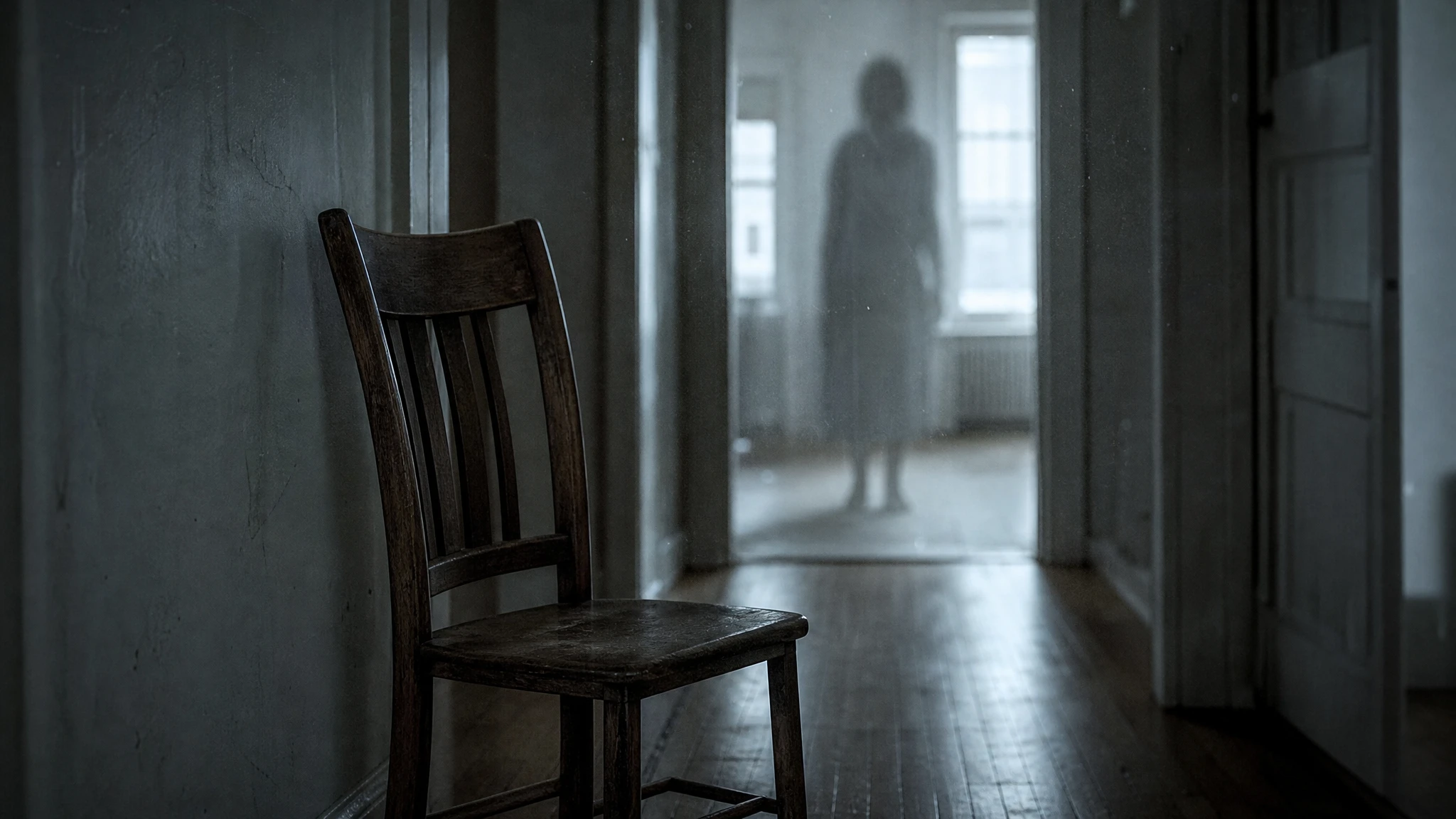
Use the uploaded photo as the identity reference. Create an artistic long-exposure ghost portrait in a narrow apartment hallway. The subject stands still in the foreground while a blurred, semi-transparent echo trails behind them. Preserve the foreground face and body proportions. Use a cold overhead light, a faint warm light at the far end of the hall, realistic wallpaper texture, and fine grain. Keep one person only. Do not add a second clear face, extra limbs, text, logos, or watermarks.
Avoid: second clear face, extra limbs, text, logo, watermark
WaveSpeed, SeeAPI, fal, Replicate, Kie
| Provider | Best for | Typical route | Docs |
|---|---|---|---|
| ReplicateExperiment-first | Broad catalogue for experiments and batch comparisons | Community and first-party image/video models | Docs |
| WaveSpeedBudget-first | Low-cost image edits and image-to-video drafts | Seedream edit, FLUX Kontext, Wan image-to-video | Docs |
| KieCharacter-first | Nano Banana image edits and Kling video routes | Nano Banana, Kling video | Docs |
| SeeAPIRouting layer | One API surface for several model families and fallback routes | Image and video inference endpoints | Docs |
| falSpeed-first | Fast hosted queues and strong model coverage | FLUX, Kling, and other hosted media models | Docs |
Step by step
Failure modes
Editorial brief
Ghost photography is a composition problem with an ethical edge. The visual trick is simple: a sharp foreground and a soft, offset echo. The ethical rule is just as simple: call it art. The moment a page implies that a composite proves a haunting, the design stops being a creative tool and becomes misinformation.
Start with a portrait that has a clean background. If the background is busy, the echo will merge with it and the image will look muddy. Use the local editor to test the offset and opacity. When you move to a model, keep the foreground face as the identity anchor and describe the echo as light, dust, or a memory. Avoid words that ask for a second person; the model will oblige and create a duplicate.
Deeper guide
The prompt is only half the job. The field note walks through the failure modes, the identity check, and the model comparison behind this page.
Open the field noteFAQ
No. It creates an artistic composite. The result is not evidence of anything supernatural, and the page labels it that way.
Yes. The local editor can create a simple double-exposure-style echo from one image. Use the AI prompts when you want a more elaborate scene or a cleaner plate.
Keep the echo blurred, offset, and partially transparent. Do not give the echo a sharp expression or a second pair of eyes. The foreground face should remain the only readable face.
No. Use a photo you own or have explicit permission to edit, and do not imply that a real person is haunted.
Checked sources