English quick take
Two-person prompts need a different structure: name both people, lock both identities, state the exact number of people, and describe how the costumes relate. The local editor helps you test the crop before you spend credits.
 GirigoApp.com
Girigo AI Studio 10 min read
Use two clear reference photos, keep both people recognizable, and build a coordinated costume scene without turning the result into a face-swap lottery.
English quick take
Two-person prompts need a different structure: name both people, lock both identities, state the exact number of people, and describe how the costumes relate. The local editor helps you test the crop before you spend credits.
Local look lab
Upload a photo you own. The canvas, grade, grain, and caption stay in this browser.
Choose a photo to start. Nothing leaves this browser.
Prompt studio
Pick a look, set the direction, and copy a prompt that names what must stay fixed.
Direction: cinematic portrait; preserve identity; one person.
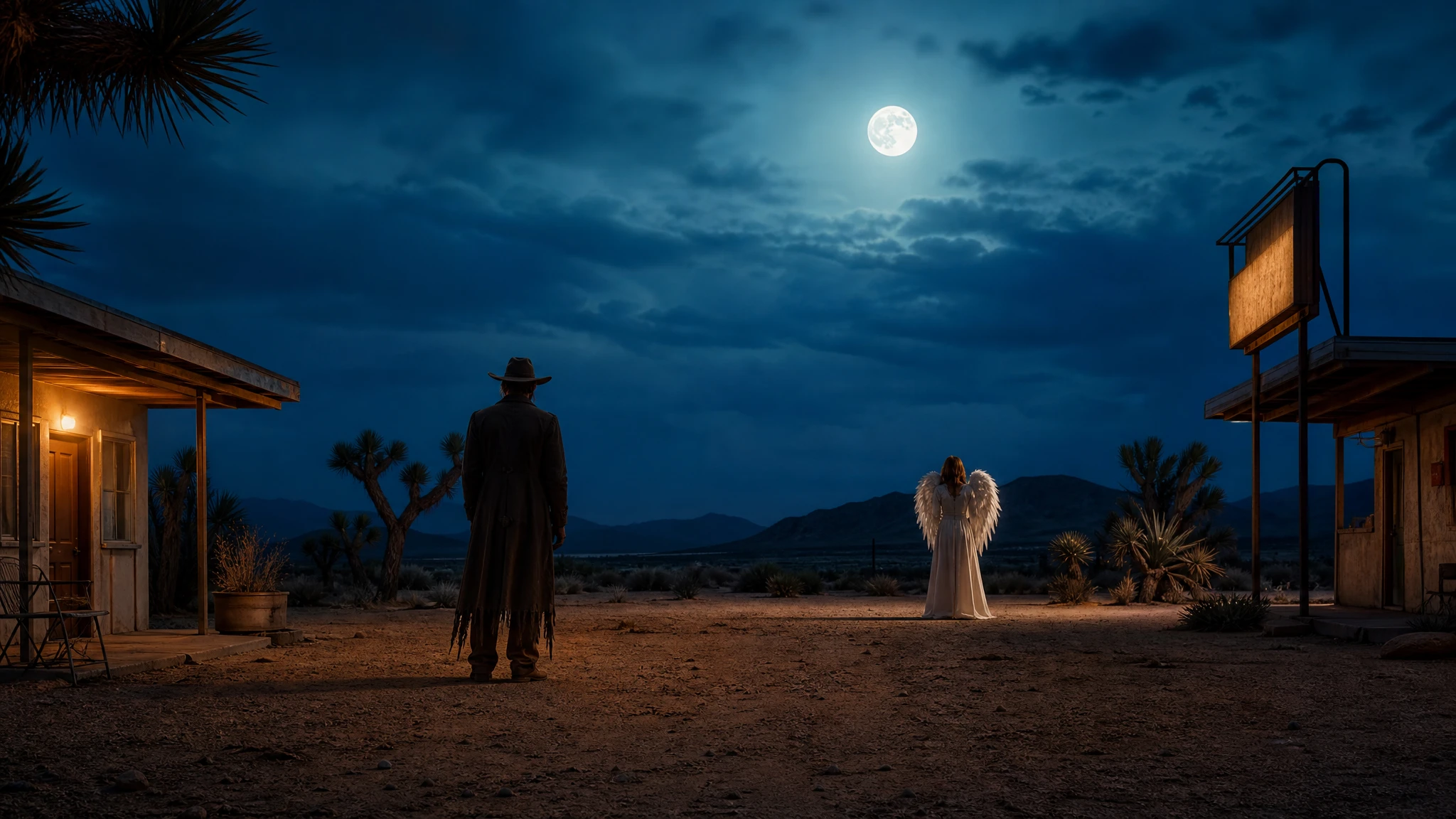
Use the two uploaded photos as separate identity references. Preserve both people's recognizable faces, skin tones, approximate ages, body proportions, and natural anatomy. Create a coordinated Halloween couple portrait: one person in a weathered western coat, dark hat, and dusty boots; the other in a soft ivory angel costume with feathered wings and a simple silver halo. Keep exactly two people in the image. Place them in a moonlit desert motel courtyard with one warm sign and a dark blue sky. Use photorealistic editorial photography, realistic fabric, and cinematic side lighting. Do not swap faces, merge the two faces, add a third person, duplicate limbs, or add text and watermarks.
Three useful outcomes
The prompt locks each face before it describes either costume.
Open the studioThe scene and palette connect the two looks.
Open the studioA local editor helps you plan a square, 4:5, or 16:9 composition.
Open the studioPrompt lab
Useful for comparing how different models handle two references.
Use the two uploaded photos as separate identity references. Preserve both people's recognizable faces, skin tones, approximate ages, body proportions, and natural anatomy. Create a coordinated Halloween couple portrait: one person in a weathered western coat, dark hat, and dusty boots; the other in a soft ivory angel costume with feathered wings and a simple silver halo. Keep exactly two people in the image. Place them in a moonlit desert motel courtyard with one warm sign and a dark blue sky. Use photorealistic editorial photography, realistic fabric, and cinematic side lighting. Do not swap faces, merge the two faces, add a third person, duplicate limbs, or add text and watermarks.
Avoid: face swap, merged faces, third person, duplicated limbs, text, watermark
Fast iteration helps when you are testing pose and costume pairing.
Edit the two uploaded photos into a coordinated 1970s disco Halloween portrait. Preserve both subjects' faces, skin tones, ages, and body proportions. Dress one person in a green-and-red sequined jacket with a wide collar; dress the other in a flowing gold jumpsuit with a dark belt. Keep exactly two people. Place them on a small dance floor with a mirrored ball, warm practical lights, and a dark background. Use photorealistic party photography with realistic sequin reflections and gentle film grain. Do not exchange faces, add a third dancer, distort hands, or add readable logos and watermarks.
Avoid: exchanged faces, third dancer, distorted hands, logos, watermark
Character-focused routes are a good fit for coordinated costumes.
Use both uploaded photos as identity references. Preserve both people's recognizable faces, natural skin texture, body proportions, and the original number of people. Create a coordinated sci-fi Halloween portrait: one person in a midnight-blue flight suit with silver piping, the other in a deep-violet observatory coat with a star-map embroidery. Place them in a glass observatory above a dark ocean, with a large moon and faint aurora outside. Keep exactly two people and keep their faces unchanged. Use cinematic science-fiction photography, realistic fabric, and cool rim light. Avoid face swapping, a third person, extra fingers, floating heads, text, and watermarks.
Avoid: face swapping, third person, extra fingers, floating heads, text, watermark
WaveSpeed, SeeAPI, fal, Replicate, Kie
| Provider | Best for | Typical route | Docs |
|---|---|---|---|
| ReplicateExperiment-first | Broad catalogue for experiments and batch comparisons | Community and first-party image/video models | Docs |
| falSpeed-first | Fast hosted queues and strong model coverage | FLUX, Kling, and other hosted media models | Docs |
| KieCharacter-first | Nano Banana image edits and Kling video routes | Nano Banana, Kling video | Docs |
| WaveSpeedBudget-first | Low-cost image edits and image-to-video drafts | Seedream edit, FLUX Kontext, Wan image-to-video | Docs |
| SeeAPIRouting layer | One API surface for several model families and fallback routes | Image and video inference endpoints | Docs |
Step by step
Failure modes
Editorial brief
Two-person image editing is where casual prompts fall apart. A model that handles one face well can still swap two faces, merge them, or add a third person to balance the frame. The fix is structural: separate references, explicit identity anchors, an exact people count, and a simple composition that gives each face enough pixels.
Plan the frame before you generate. A waist-up portrait with both faces at a similar scale is easier than a full-body scene with tiny faces. If the provider supports masks or regional prompts, use them. If it does not, keep the background simple and the costume contrast clear. Check both faces separately, then check the hands where the two people meet. That is where merged limbs usually appear.
Deeper guide
The prompt is only half the job. The field note walks through the failure modes, the identity check, and the model comparison behind this page.
Open the field noteFAQ
It can work, but two separate references are more reliable. If you only have a group photo, crop each person into a clear reference image before you start.
The model is trying to fill the scene. State "exactly two people" in the prompt and the negative constraints, use a simple background, and avoid prompts that imply a crowd.
Test a model that explicitly supports multi-image references. Replicate is useful for comparing several routes; Kie and WaveSpeed are good for character-focused and budget tests.
Yes, if both people consent and you disclose that the image is AI-assisted where appropriate. Check the provider license and do not imply that a real photographer took the image.
Checked sources